
Plan the work.
Keep it moving.
Review a plan, see your sessions, and carry useful context into the next piece of work.
Bring the workflow
to your repository.
See the ECC GitHub App in practice, then choose the repositories you want to connect.
Install GitHub AppPoint to the part
you mean.
Open a plan in your browser. Annotate it, ask for changes, and approve the revision when it is ready.
Use Plan Canvasecc-plan-canvas open path/to/artifact.plan.mdThe command opens your local session. Your agent can wait for your review with ecc-plan-canvas await.
A view across
your sessions.
Inspect session state and worktrees in a local browser interface. Keep the work visible without opening every session.
Explore Control Pane source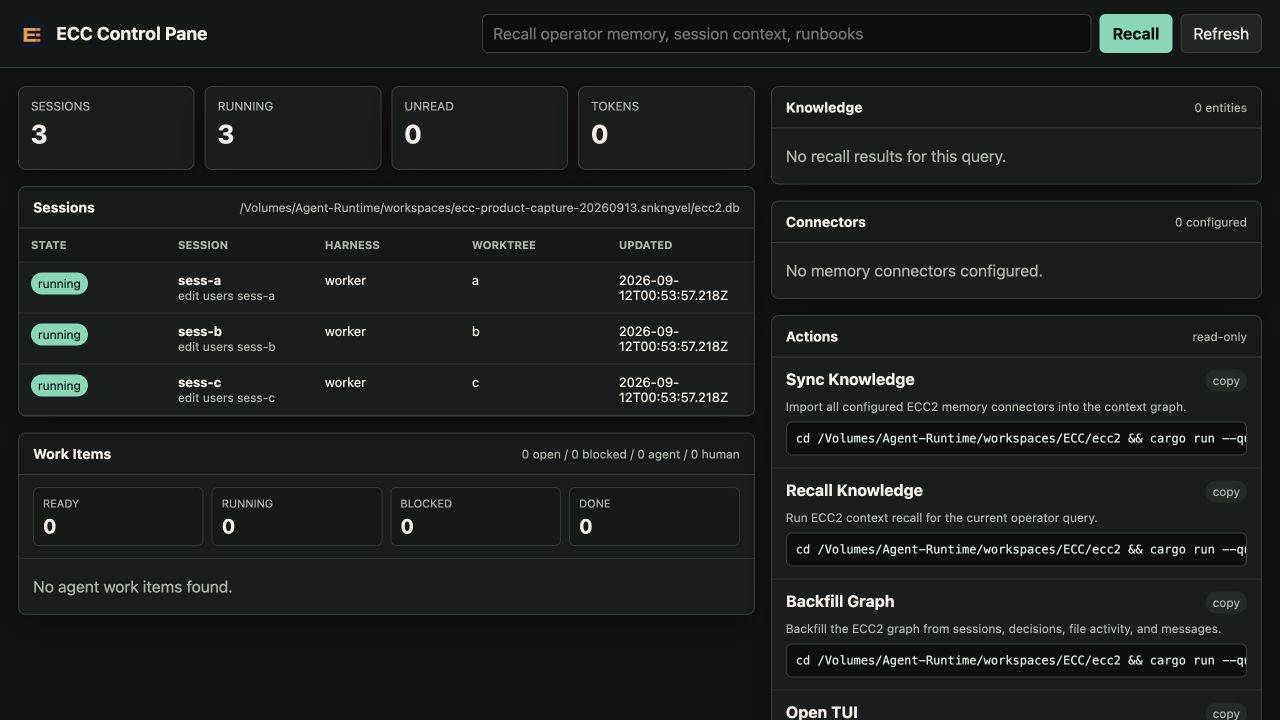
The displayed session states come from a demonstration database. This capture shows the local interface, rather than a live hosted fleet.
Runtime and setup notesPick up the thread.
Keep the context.
Save a handoff in a local vault. Search for the context you need, then read the original note through the CLI or optional MCP tools.
Use Unified MemorySave the handoff
Give the note a title, source harness, and intended recipient.
Find the right context
Search within the project and filter for the target harness.
Read what was saved
Retrieve the original Markdown. Recalled notes remain context to review, not instructions to execute.
Website review handoff
- From
- Codex
- For
- Claude
- Scope
- Project
- Trust
- Unreviewed
“review the website at phone and desktop widths, then record the result.”
Saved, found, and read back in an isolated local demonstration. The vault check returned no invalid files or broken links.
CLI source used for this exampleTry a project handoff
With the ECC runtime installed, create handoff.md with the context you want to pass on. Run these commands in your project; replace the final placeholder with the ID returned by your search.
ecc memory init --scope project

ecc memory handoff --scope project --from codex --target claude   --title "Website review handoff" --body-file handoff.md

ecc memory search "Website review" --scope project --target-harness claude

ecc memory read <memory-id> --scope project
The example demonstrates local storage and retrieval with harness metadata. It does not establish that another running agent consumed the note.
Get the ECC runtimeNasiko × ECC.
Explore the control plane.
Explore Nasiko's agent control plane through our partnership. ECC's experimental, opt-in bridge provides pinned CLI installation, read-only status, and qualified removal.
Explore Nasiko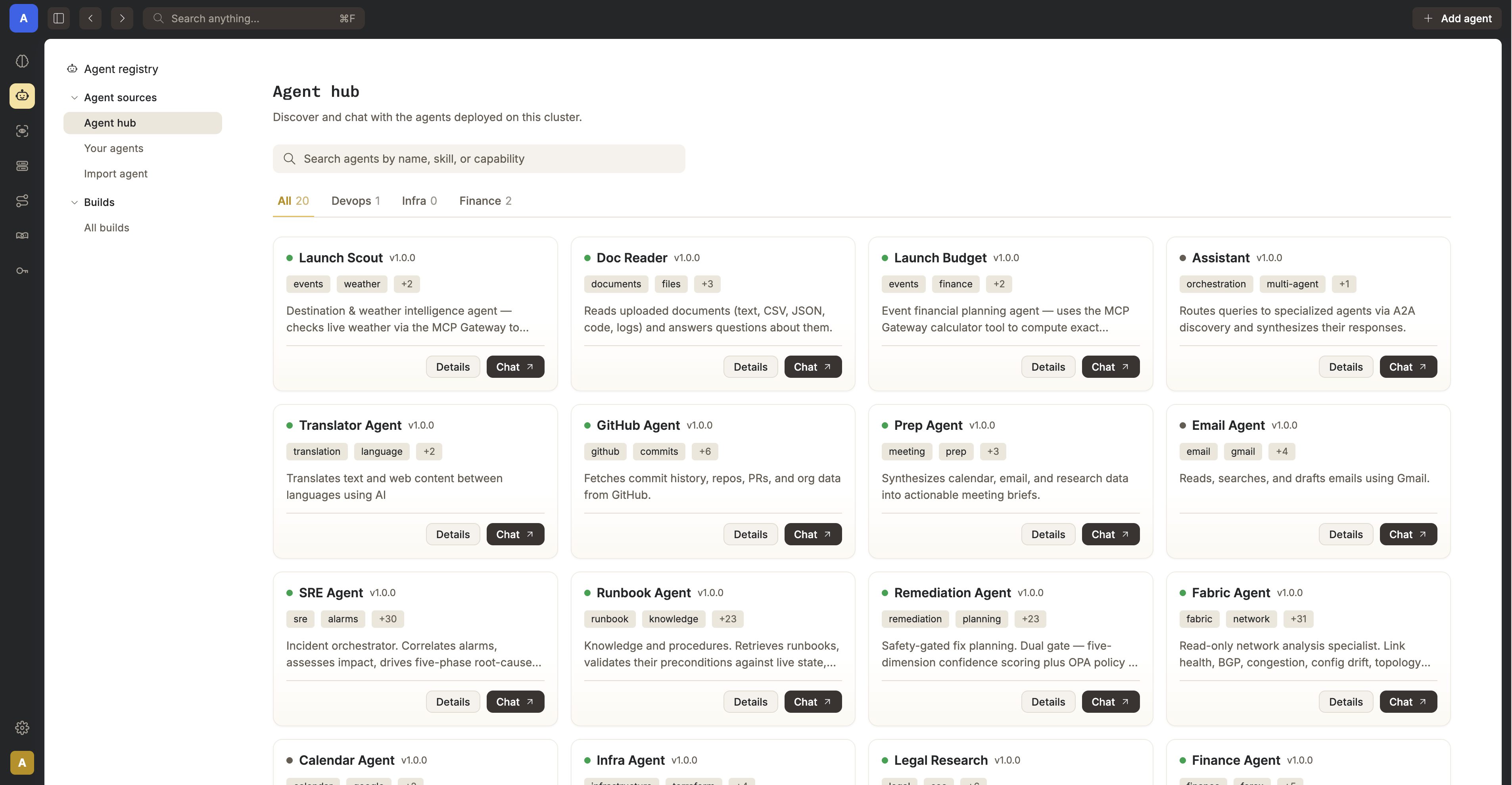

ecc nasiko status --jsonThe experimental bridge supports the pinned Nasiko v0.1.0 CLI. This status command is read-only.
The dashboard is Nasiko's product. Connecting agents, running its server, and enabling telemetry require separate setup; the ECC bridge does not perform those actions.
Read bridge setup and scopeFind GPU capacity
through Itô.
The Itô Compute skill connects ECC to a CLI workflow for capacity requests and status. Access currently uses the Itô design-partner setup.
A capacity request is not a reservation. Managed training and inference are not available through this workflow.